Your customers ask for a booking online.
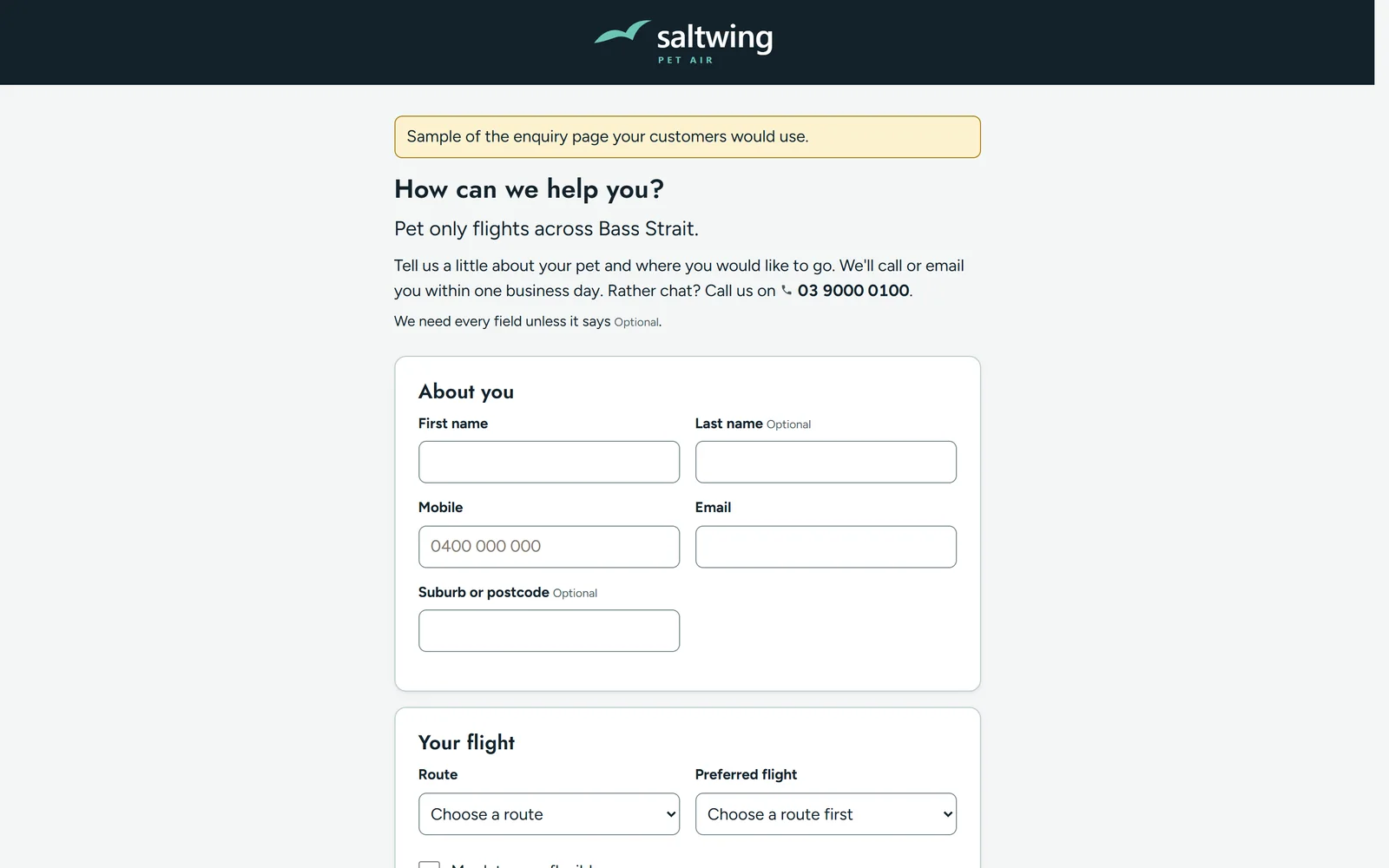
They fill in one page with what they need and when. You see it straight away, on your computer or your phone, and turn it into a booking in a tap.


Ledgeline is built around your business and customised for you. It starts with a working system for bookings, customers, invoices and reminders. Then I build in whatever your business needs. If you can describe it, it can be part of your Ledgeline.
Ledgeline suits a business where:
It's probably not for you if you sell half hour appointments and a cheap booking app already does the job, or if you want something you set up yourself in an afternoon. I set Ledgeline up with you.
They fill in one page with what they need and when. You see it straight away, on your computer or your phone, and turn it into a booking in a tap.
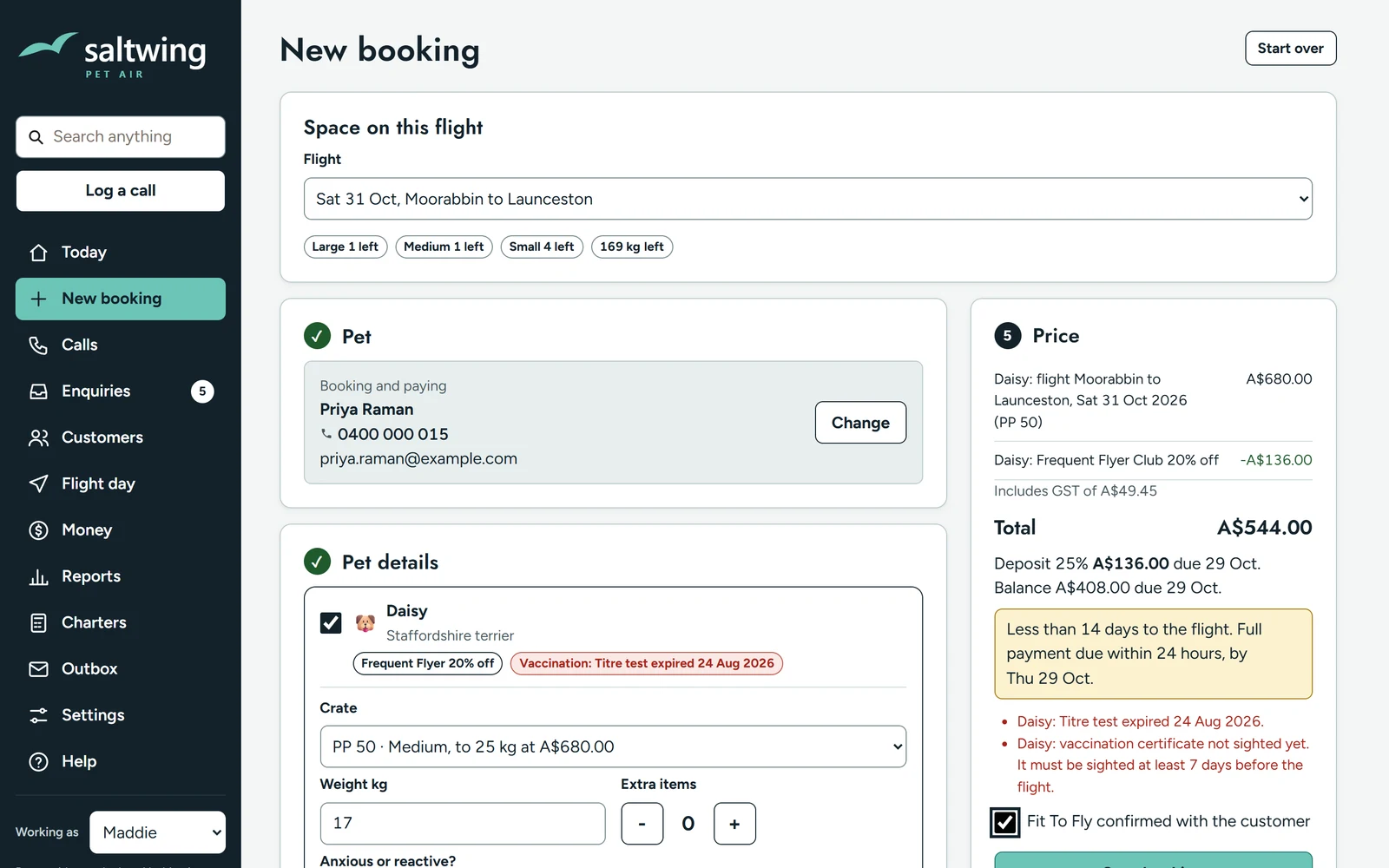
Ledgeline checks space and limits as you book. If something is over, it tells you before you say yes, and keeps a note of why if you go ahead anyway.
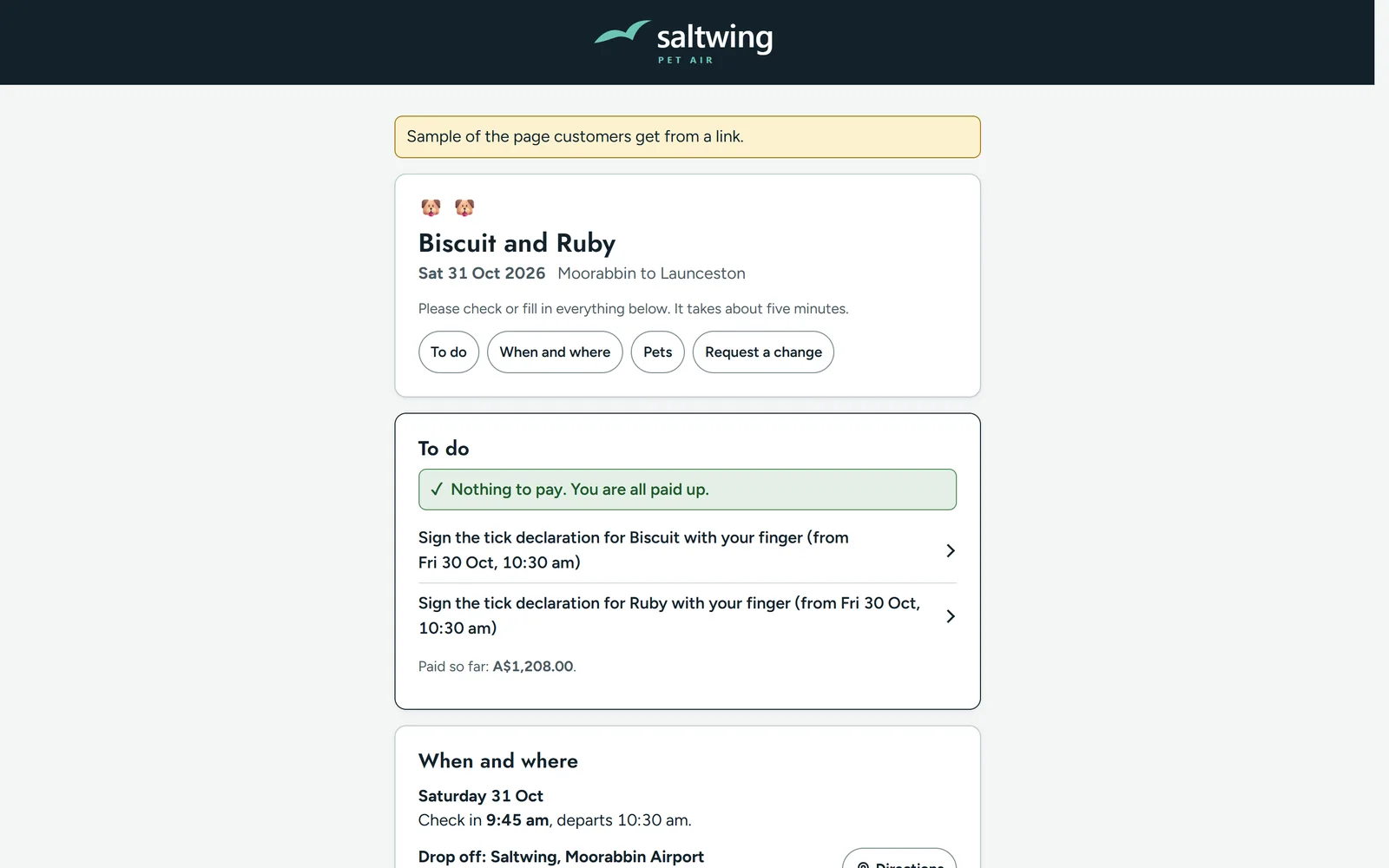
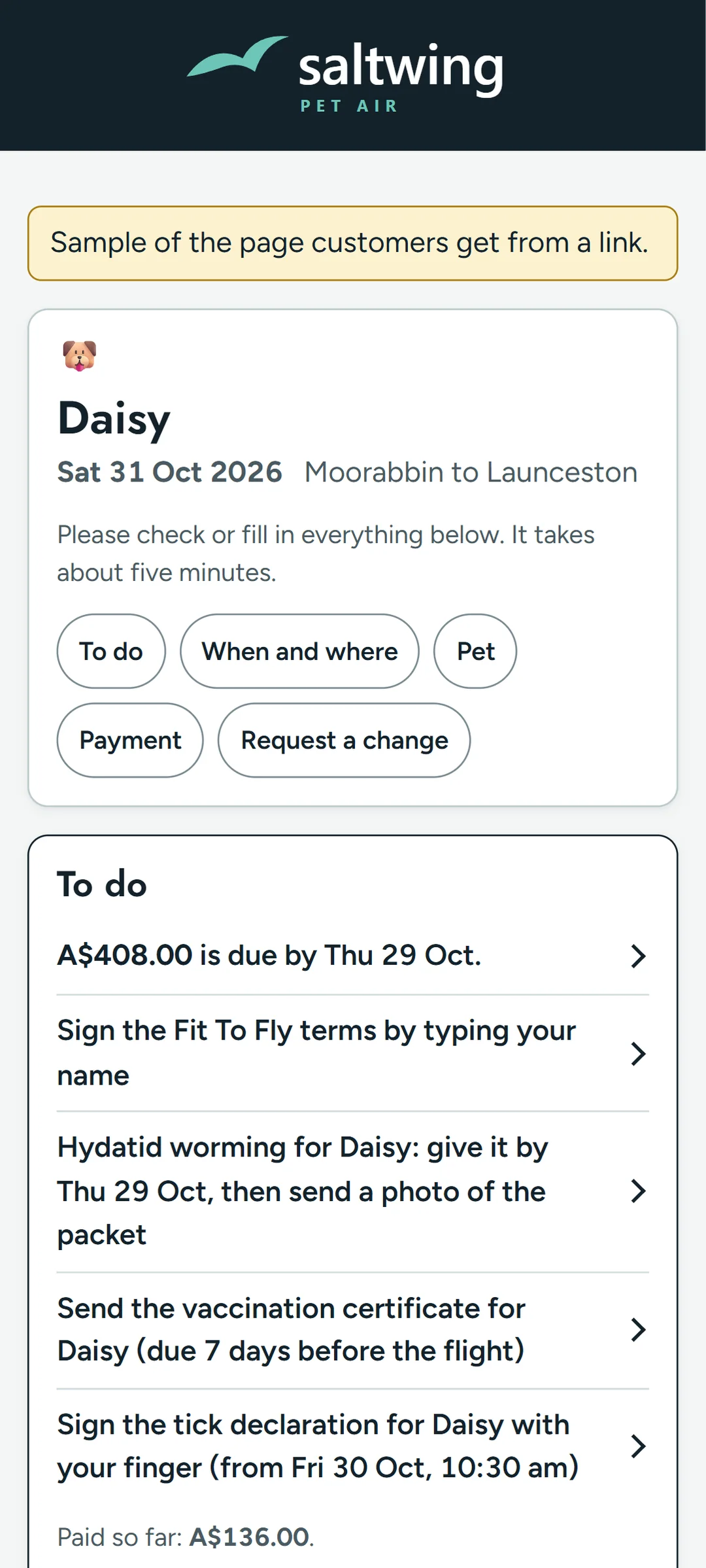
One link shows them when and where, what they still need to do, and how to pay. They can upload documents, sign forms and ask for a change without phoning you. It works the same on a computer or a phone.
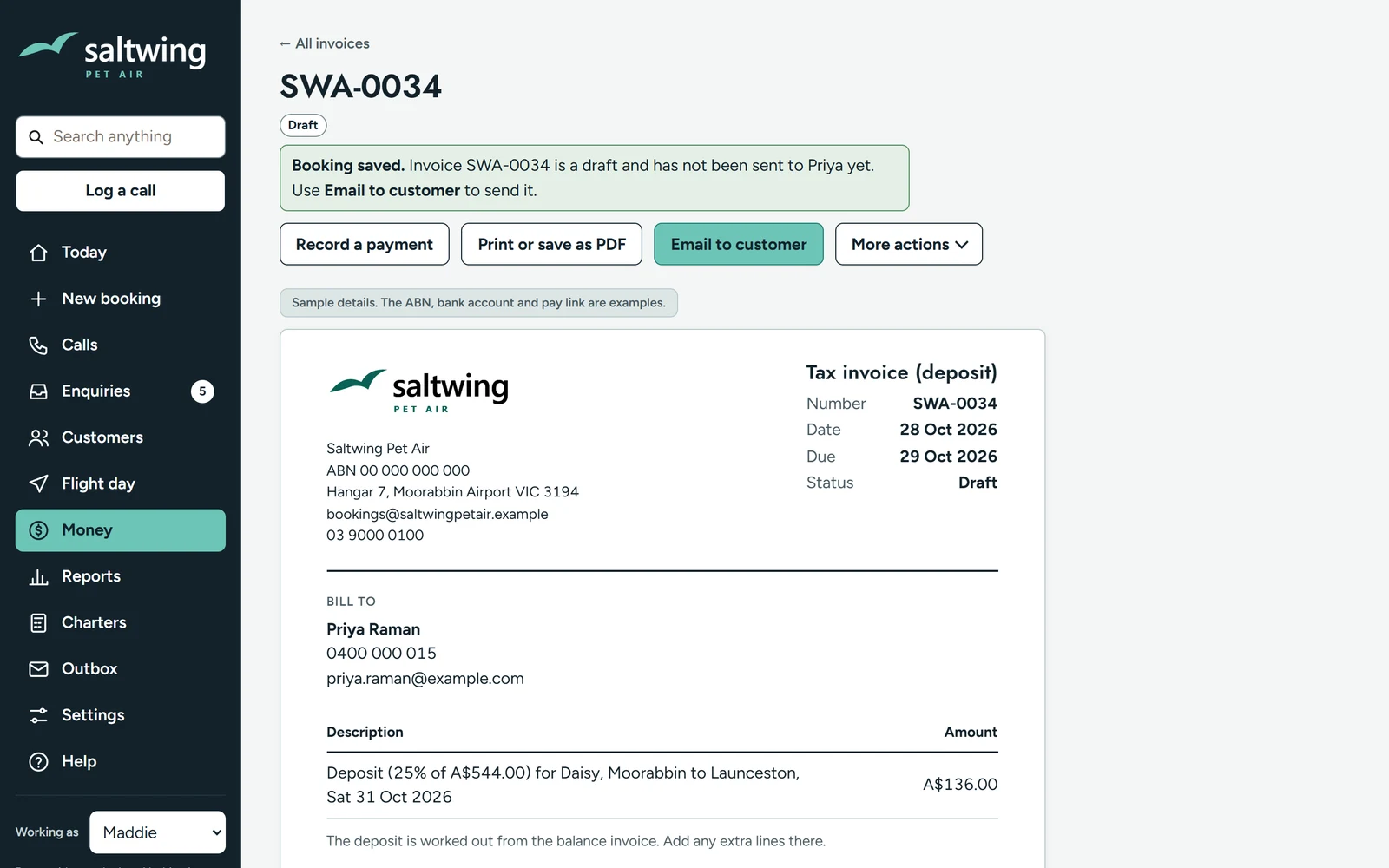
Invoices go out with the booking. Take a deposit or the full amount, by bank transfer, PayID or card. Payments match to the right invoice, and you can see who still owes what.
Payment due, balance due, paperwork due. Texts and emails go at the time you choose, in your words, and stop the moment the customer pays.
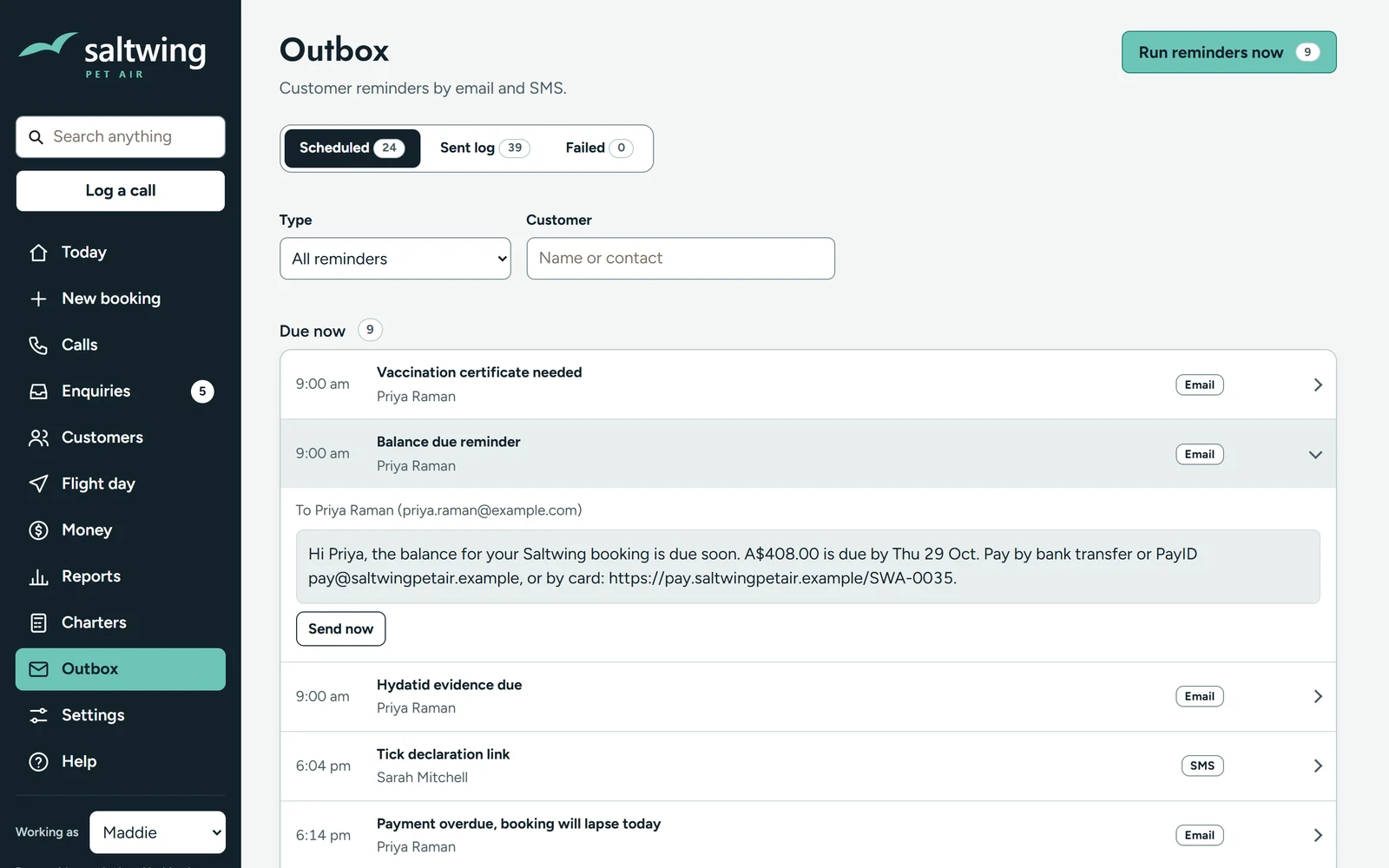
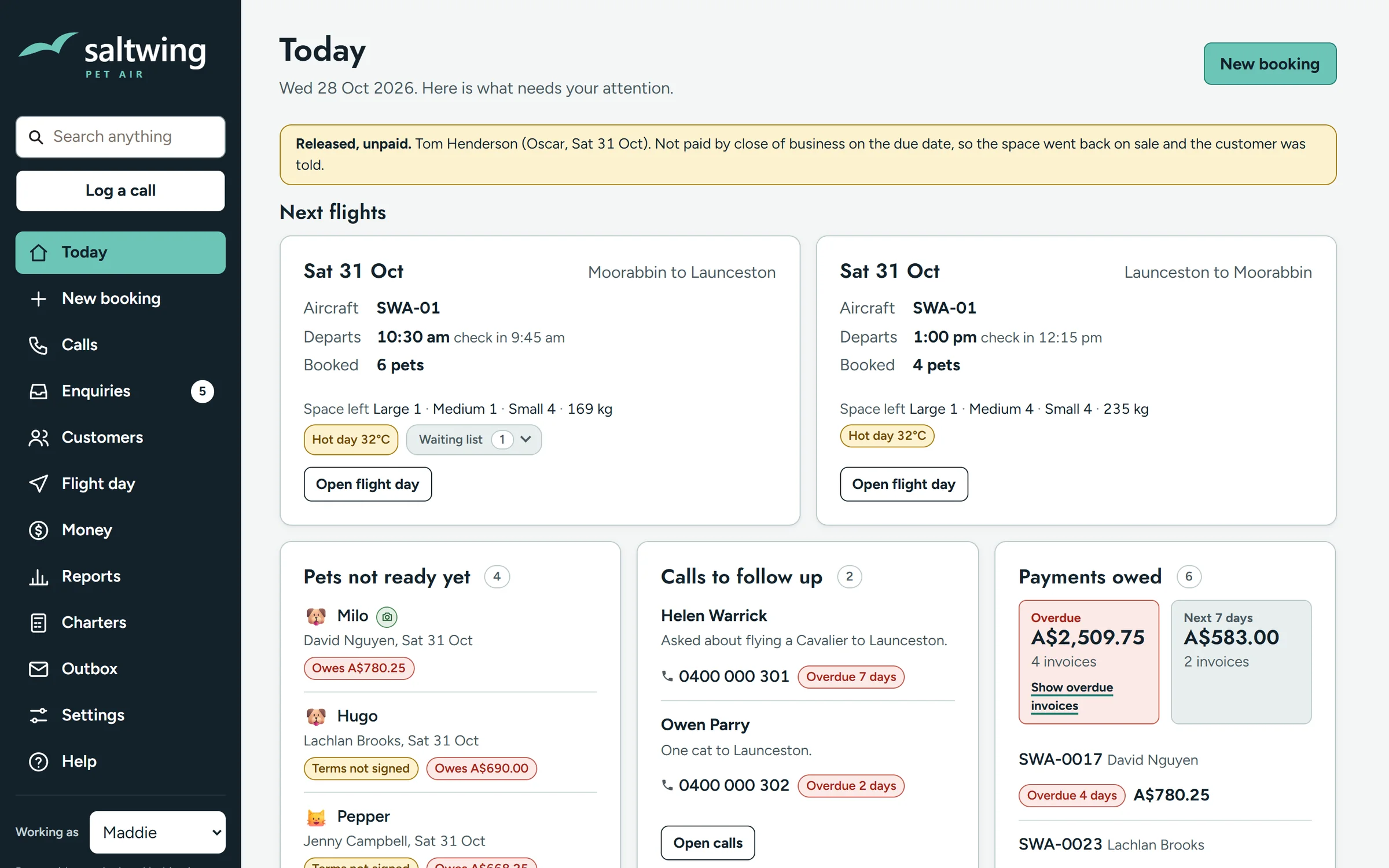
If a booking isn't paid by its due date, Ledgeline can release the space and tell the customer, or flag it for a call if part is paid.
Each person gets only the screens their job needs. The staff app works on a phone, even with no signal, and catches up when you are back online.
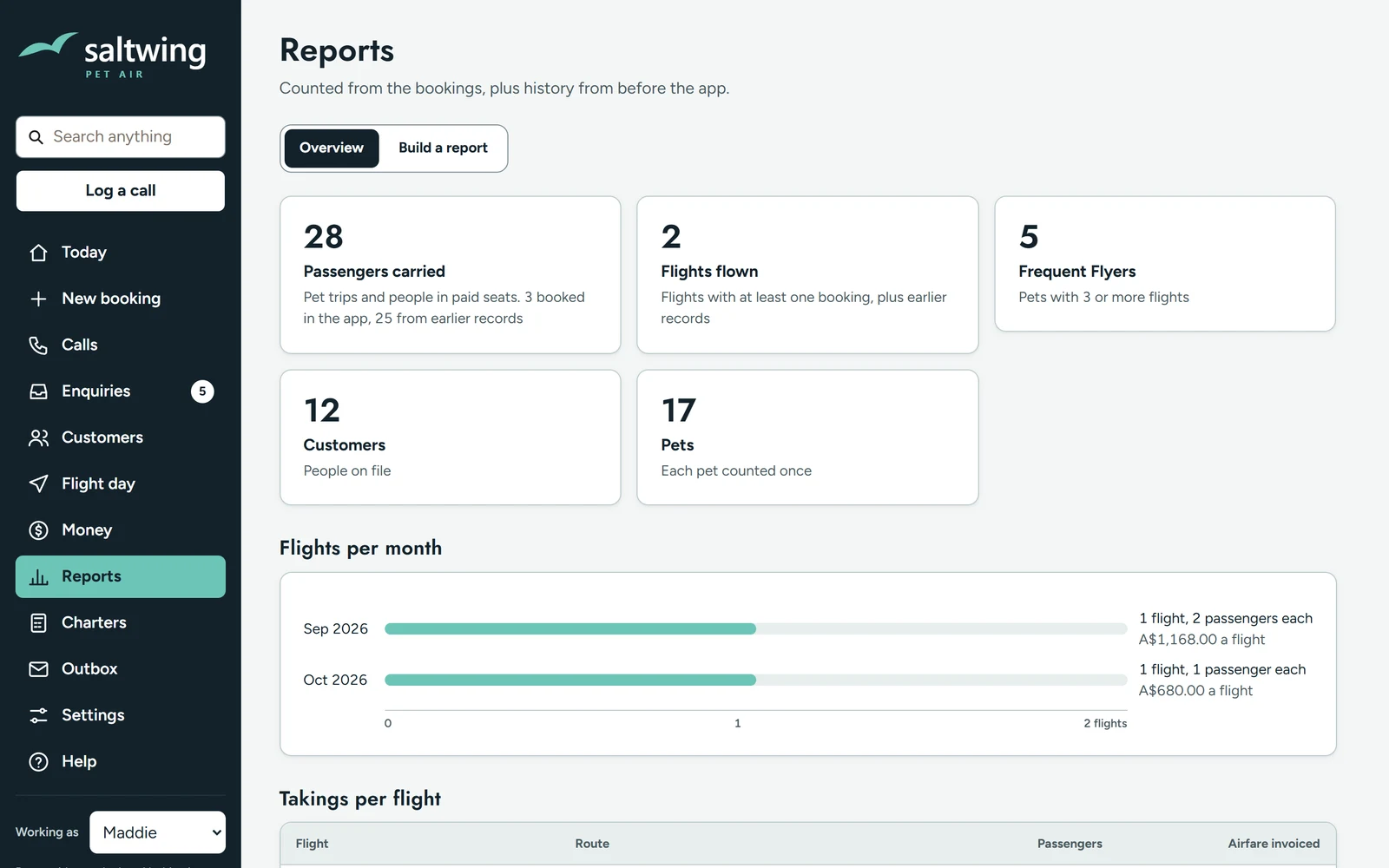
A GST summary, takings and expenses, and an export your accountant can use. Ledgeline works beside Xero, MYOB or QuickBooks and keeps your books where they are.
Hosted in Sydney, backed up every night to two places, with two step sign in for owners.
Here is Ledgeline set up for a pet air charter. The business shown is for demonstration only. Its Ledgeline knows crate sizes and weight limits, how much each aircraft can carry, vaccination rules, biosecurity paperwork and hot day warnings for flat faced breeds. It prints the pilot's manifest and texts each customer directions on the day.
None of that came in a box. It was built for that business. Yours gets the same treatment: your rules, your paperwork, your way of working.
Here is the same core set up for a regional courier. It knows parcel sizes from satchel to pallet, how much room is left in each van and which items aren't ready yet. The driver's run sheet leaves the money off. This business is for demonstration only too.
Try the courier demo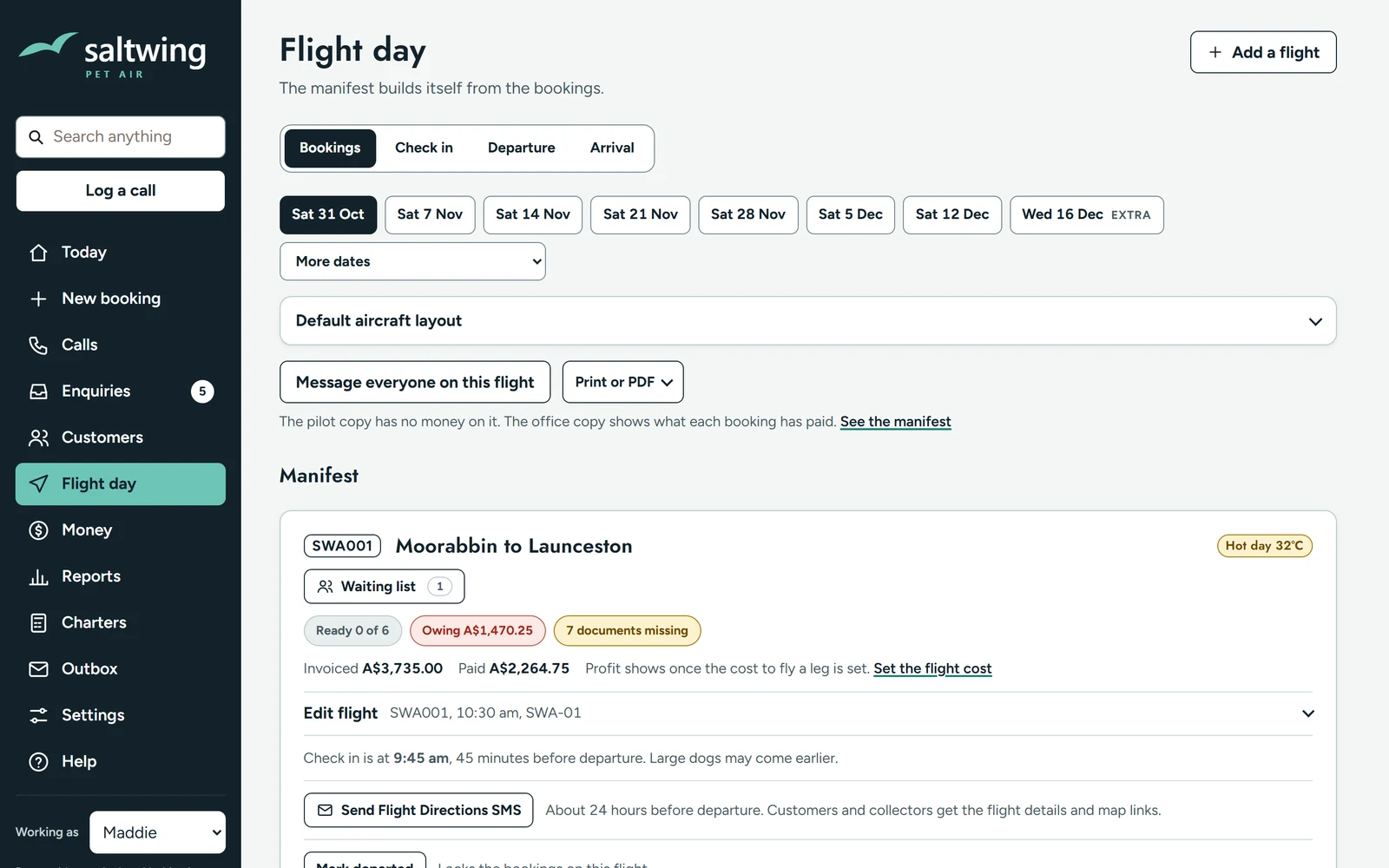
If you're on Xero's smallest plan you've probably hit its 20 invoice limit. Upgrading gives you more invoices. It doesn't give you bookings, deposits or reminders.
Busy season is close. A booking that isn't paid in December is a space you could have sold twice. If we start now, you're taking deposits before the rush.
Tell me in a few lines what happens now when someone wants to book. I'll reply as soon as possible to set up a 20 minute call.
On the call I ask how a booking runs from the first message to the final payment, and I take notes.
Afterwards you get a one page note: what you do by hand now, what Ledgeline does from day one and what I'd build for your trade. If it isn't a good fit, the note says so.
If you want to go ahead, I quote it in writing. Half on signing, and half when you sign off after running it on real work.
No. Ledgeline runs the front of your business: bookings, deposits, customer pages, reminders and the day's run. It sits beside Xero, MYOB or QuickBooks and gives your accountant a GST summary and an export.
You email or call me. I built it and I look after it, so there's no help centre to search.
Your data is yours. You can export your customers, bookings, invoices and payments whenever you like, and the agreement says so.
I own the software so I can keep improving it. Nothing that identifies your business, your customers or your prices goes anywhere else.
No. They get a link that works on any phone or computer.
It depends on what your trade needs. I tell you in the written note before you commit to anything.
I'll tell you what I'd build. Or email me at christian@chronox.com.au.